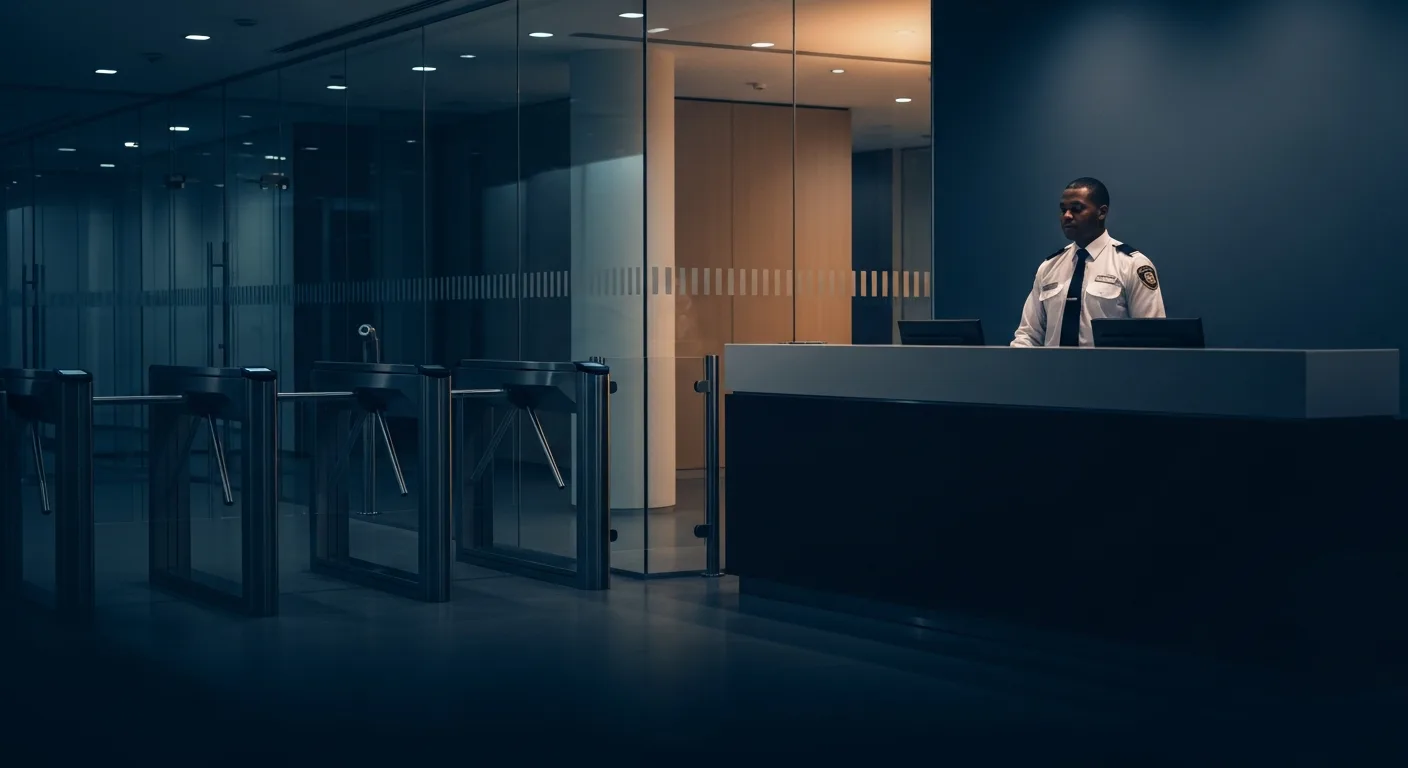
Most access control buying decisions are made on a brochure and a per-door price. This guide covers what actually matters — credential security, door hardware, the life-safety rules that override everything, and what it really costs per opening.
Access control is the most consequential physical security purchase most buildings ever make, and it is routinely bought the worst way: a vendor walks the site, counts doors, and hands over a per-opening price. Twelve weeks later the building has readers everywhere, a subscription it did not budget for, credentials that can be cloned in a parking lot for the price of a sandwich, and — in the ugliest cases — a locking arrangement the fire marshal will make you rip out. This guide covers the part nobody sells you on: choosing and specifying the system itself. What credential technology to demand, how doors actually lock and unlock, the life-safety rules that override every other requirement in the project, how the system ties into cameras, alarms, and your officers, and what it all costs. For the broader program context — how access control sits inside reception, patrol, and a security operations center — start with our corporate security program guide.
Specify encrypted smart credentials (DESFire EV3-class) or mobile credentials — never 125 kHz proximity cards, which are cloneable with a $30 device. Insist on OSDP Secure Channel between readers and controllers instead of legacy Wiegand. Cloud platforms typically cost $8–$30 per door per month and win on maintenance; on-prem wins on data ownership and vendor independence. Budget roughly $1,500–$4,000 per opening installed for a standard retrofit, more for maglock-equipped or high-security doors. Above all: every door in the means of egress must open from the inside without a key, tool, or special knowledge, and your locking scheme must release on fire alarm and loss of power where required — confirm every locking decision with your authority having jurisdiction (AHJ) and a licensed fire/life-safety professional before you buy hardware.
What an access control system actually is
Buyers picture a card reader. A working system is four layers, and a weakness in any one defeats the other three: the credential (card, fob, phone, PIN, or fingerprint — attacked first, because it is the only layer that leaves the building every night); the reader at the door; the controller, which holds the access rules and drives the lock, and which should keep making decisions when the network dies; and the management software where you enroll people, set schedules, and read the audit log.
Underneath all four sits the physical layer everyone forgets: the door, its frame, the lock, the egress hardware, and the sensors that report what the door is actually doing. A perfectly encrypted credential on a hollow door with a spreadable frame is security theater. Half the value of a good integrator is that they look at the opening before they look at the catalog.
Credential types compared, honestly
The highest-leverage decision in the project, because credentials are expensive to change later — reissuing thousands of cards and swapping every reader is a second project, not a tweak. The honest landscape:
| Credential | Real security level | Best use |
|---|---|---|
| Mechanical keys | Low — no audit trail, uncontrolled duplication | Closets, low-value interior doors, mandatory mechanical override |
| PIN keypad only | Low — PINs are shared, shoulder-surfed, and never rotated | Second factor, not a primary credential |
| 125 kHz proximity card | Very low — trivially cloneable, no encryption | Nothing new. Migrate away from it. |
| Legacy 13.56 MHz (MIFARE Classic, legacy iCLASS) | Low — the underlying ciphers are publicly broken | Legacy only; plan replacement |
| Modern smart card (DESFire EV3, iCLASS SE / Seos-class) | Strong — AES, mutual authentication, diversified keys | The default for new commercial systems |
| Mobile credential (BLE / NFC) | Strong — hardware-backed keys plus phone unlock | Tech-forward tenants, high credential churn |
| Biometric | Strong as a factor, but non-revocable and legally regulated | Small populations, high-value spaces, paired with a card |
Why 125 kHz prox is effectively an unlocked door
The 125 kHz proximity card — the beige card in half the wallets in America — was designed when the threat model was a lost card, not an adversary. It does exactly one thing: when energized, it broadcasts a fixed number. No encryption, no mutual authentication, no challenge-response, and no way for the reader to know whether it is talking to a real card or a device imitating one. Cloning it requires no skill: inexpensive handheld copiers, widely sold online, read a prox card and write an identical clone to a blank in seconds, and longer-range readers can capture a badge through a bag in a crowded elevator. If your building runs 125 kHz prox, treat the credential layer as convenience and an audit trail, not security — and do not let a vendor sell you a new prox deployment in 2026.
The 13.56 MHz generation is better in principle but not automatically in practice. MIFARE Classic's proprietary Crypto-1 cipher and the shared key of legacy iCLASS have both been publicly broken for years, so a card that looks modern can be no stronger than prox. The distinction you want in the specification is cryptographic, not a frequency.
Do not write "smart cards" into your RFP. Write: credentials shall use AES-128 or stronger mutual authentication with site-specific diversified keys; 125 kHz proximity and MIFARE Classic are not acceptable; the customer shall own or hold in escrow the site key material. That last clause matters more than buyers realize — if the integrator holds your card keys and you part ways badly, you may find you cannot order compatible credentials from anyone else.
Mobile credentials
Phone-based credentials — a key provisioned into the phone's secure element or a vendor app, presented over Bluetooth Low Energy or NFC — are now the mainstream choice for new commercial deployments. Provisioning and revocation are instant and remote, which quietly fixes the worst operational failure in access control (the ex-employee whose card is still live). People lose phones far less often than cards and report it within minutes rather than days. The phone's own biometric unlock adds a second factor almost for free, and you stop running a card-printing operation.
The tradeoffs are real. Mobile credentials are usually licensed per user, converting a one-time card cost into a permanent subscription line. BLE range behavior needs tuning — a badly configured reader unlocks as someone walks past in the corridor, and BLE relay techniques are a known research concern for proximity-triggered unlocking, which argues for tap-to-unlock at sensitive doors rather than hands-free entry. You also need a fallback for visitors, contractors, employees without smartphones, and dead batteries. In practice every mobile deployment is a mobile-plus-card deployment; budget for both.
Biometrics: where they belong, and the legal catch
Fingerprint, facial, and iris readers bind the entry event to a person rather than to an object that person was carrying. That makes them valuable at a few high-value doors — a data room, a cash room, a controlled-substances cabinet — particularly as a second factor behind a card. They are a poor primary credential for a large population: lobby throughput suffers, gloves and dust and cold hands degrade recognition, and enrolling thousands of people is a project of its own.
Several US states specifically regulate collection and storage of biometric identifiers — Illinois' Biometric Information Privacy Act is the best known and carries a private right of action, and Texas and Washington have their own statutes, with more states adding biometric provisions to general privacy laws. Requirements commonly include written notice, informed consent before collection, a published retention and destruction schedule, and limits on disclosure. Before deploying a biometric reader, have counsel confirm your obligations in every state where you operate, prefer systems storing a non-reversible template rather than a raw image, keep the template on the credential or on-premise where feasible, and offer a non-biometric alternative. And remember the permanent asymmetry: a compromised card is reissued Monday; a compromised biometric is compromised forever.
The reader-to-controller link: Wiegand vs. OSDP
Here is the vulnerability that almost never appears in a sales conversation. The wire between the reader on the unsecured side of the door and the controller inside has, for decades, run the Wiegand protocol — one-way, unencrypted, unauthenticated, unsupervised. An attacker who reaches that wiring, typically by pulling the reader off the wall, can capture credential data in the clear as people badge in, then inject a captured credential to open the door. Small inline devices built for exactly this have been demonstrated publicly for years. The reader sits outside your security boundary by definition, which is why the link behind it should not be plaintext.
The replacement is OSDP (Open Supervised Device Protocol), maintained by the Security Industry Association, with Secure Channel providing AES-128 encryption and mutual authentication between reader and controller. OSDP is bidirectional and supervised, so the controller knows if a reader is removed or the line is cut, and it carries firmware updates and reader feedback over the same pair. Insist on two things: Secure Channel actually enabled (plenty of systems run OSDP in the clear because it commissions faster), and installer default keys replaced. Have the integrator demonstrate it and document it in closeout.
Cloud vs. on-premise: who owns your door data
Nearly every vendor now sells a cloud-managed platform, and for most commercial buildings that is the right answer. Cloud eliminates the on-site server and its patching burden, pushes security updates automatically, gives you administration from anywhere, and makes multi-site management simple — one directory of people, one set of access groups, one audit log across every building. Identity-provider integration (so HR offboarding revokes the badge automatically) is far more mature in cloud platforms, and that single feature closes the most common real-world breach path in access control.
On-premise still wins in specific cases: regulatory or contractual prohibitions on external hosting, facilities that must run fully disconnected, large campuses where an enterprise platform is already the system of record, and organizations that refuse an indefinite subscription. The honest tradeoff is that on-prem shifts cost from a monthly line to your staff — someone must patch that server, back it up, and keep it from becoming the oldest unpatched Windows box in the building. Abandoned on-prem access servers are a common assessment finding.
Whichever you choose, ask the questions vendors dislike:
- Does the door still work if the internet dies? The controller should hold the credential database and schedules locally, keep making decisions offline, and reconcile events when connectivity returns. Ask how many cardholders and events it buffers — then prove it by unplugging the WAN during acceptance testing.
- Can you export your data? Cardholders, credentials, access groups, and the full audit log, in a documented non-proprietary format, on demand, without a fee.
- Is the hardware locked to the software? Many controllers are proprietary and will only ever talk to one platform, making a software switch a full hardware replacement. Open-architecture controllers preserve your ability to change vendors.
- What if the vendor is acquired or shuts down? Not hypothetical; the space consolidates constantly. Ask what the system does at end-of-life, whether controllers run in a degraded standalone mode, and whether firmware escrow exists.
- What is the escalation clause? Per-door subscriptions renewing with uncapped increases are how a cheap install becomes an expensive decade. Negotiate a cap.
Door hardware: strikes, maglocks, and electrified levers
The lock is where the specification meets the physical world, and where most disputes with the fire marshal begin. Three families cover almost everything:
- Electric strike — replaces the strike plate in the frame; the door's latch and lever stay mechanical. The workhorse: inexpensive, frame-side, and it preserves mechanical egress because the inside lever always retracts the latch. Most commercial applications should start here.
- Electrified lever or mortise lock — power runs through a hinge or door loop into the lockset, electrically controlling the outside lever. Costlier and more invasive than a strike, but it maintains fire rating and mechanical egress cleanly — often the right answer on rated openings and where the frame cannot be modified.
- Electromagnetic lock (maglock) — an electromagnet on the frame holding an armature plate on the door; no moving parts, no latch. Easy to retrofit onto awkward openings and glass doors, which is why they get specified constantly. They are also the source of nearly every serious egress problem in the industry, because a maglock has no mechanical override: if the magnet is energized, the door does not open. Every maglock therefore needs a complete, code-compliant release scheme around it — and that scheme is where projects go wrong.
Two sensors belong on essentially every controlled opening. A request-to-exit (REX) device — a motion sensor above the door, a push-bar switch, or a switch in the lockset — tells the system an egress is legitimate so it does not log a forced-door alarm every time someone leaves. A door position switch (DPS) reports whether the door is physically open or closed, which is what makes propped-door and door-forced-open alarms possible at all. A system without a DPS cannot detect the two most common real-world failures, and vendors sometimes omit them to shave the per-door price. Do not let them.
Fail-safe vs. fail-secure — and what they do not mean
These two terms describe only what the lock does when it loses power:
- Fail-safe (power-to-lock): power keeps it locked; loss of power unlocks it. Maglocks are inherently fail-safe. Used where the door must release during a power failure or fire alarm.
- Fail-secure (power-to-unlock): power releases it; loss of power leaves it latched. Common for electric strikes on exterior and tenant doors, so a power outage does not unlock the building.
The critical misunderstanding is that "fail-secure" means people can be trapped inside. It does not, and must not. On a properly specified fail-secure opening the inside lever or panic bar is purely mechanical and always retracts the latch — the electrical state governs entry from outside only. Free egress is preserved by the door hardware itself, independent of power, software, or the access system's opinion. Any design where egress depends on a functioning electronic system needs careful code review and AHJ approval, and in many configurations is simply not permitted.
Life safety and code: the constraint that outranks your security requirements
This is the most important section of this guide and the one most often skipped. Locking a door is a life-safety act. In a fire or an evacuation, the ability of every occupant to get out — in the dark, in smoke, panicked, without instructions — outranks every security objective you have. Codes encode that priority, and they are enforced.
The governing documents in most US jurisdictions are NFPA 101, the Life Safety Code, and the International Building Code / International Fire Code, alongside NFPA 72 for the fire alarm interface. Which apply, which edition is adopted, and how local amendments modify them vary by state and municipality, so nothing below is a compliance determination for your building. Broadly consistent across these codes:
- Free egress. Doors in a means of egress must be openable from the egress side without a key, tool, special knowledge, or special effort. A card reader, keypad, or phone app on the exit side is, in most occupancies, exactly the "special knowledge or effort" the code prohibits. Badging to get out is the classic violation, and it is often specified innocently for anti-passback reasons.
- One motion, one hand. Egress hardware is generally required to release the latch with a single motion and without simultaneous operations — which is why an access-controlled door with a deadbolt someone added later is a problem.
- Fire alarm and sprinkler release. Electrically locked egress arrangements generally must unlock automatically on fire alarm or sprinkler activation, and on loss of power to the locking system. That interface must be a supervised, hard-wired connection to the fire alarm — not a software integration, not a network message, not a cloud webhook. If a vendor proposes releasing your maglocks over the network, that should end the conversation.
- A manual release near the door. Special locking arrangements typically require a clearly identified release device on the egress side, mounted within a specified height band adjacent to the door, labeled to the effect of "PUSH TO EXIT," that directly interrupts power to the lock for a defined interval regardless of what the access control system thinks.
- Delayed egress is a narrow, permissioned exception. Delayed-egress locking — pushing the bar starts an irreversible timer, commonly 15 seconds and longer only where specifically approved, before release — is permitted only in certain occupancies, generally requires the building to be sprinklered or fully detected, and requires specific signage plus AHJ approval. It is a legitimate tool in retail and healthcare, not something to bolt onto a door people keep using as a shortcut.
- Stairwell re-entry and elevator lobbies have their own rules; stair doors that lock behind occupants are a recurring and serious finding.
Codes differ by state and city, adopted edition, occupancy classification, and local amendment, and section numbering shifts between editions. Nothing here determines whether a particular locking arrangement is permitted in your building. Have your locking scheme — especially any maglock, delayed-egress, stairwell, or electrified-egress design — reviewed by a licensed fire protection or life-safety professional and confirmed with your authority having jurisdiction (typically the fire marshal or building official) before hardware is ordered. That review costs a fraction of redoing an installation the fire marshal rejects, and infinitely less than a blocked egress in an actual emergency.
ADA and the accessible opening
The regulatory layer buyers miss is accessibility. Under the 2010 ADA Standards for Accessible Design, operable parts on accessible doors — and by extension the readers, keypads, and push-to-exit devices you are adding — generally must be operable with one hand, without tight grasping, pinching, or twisting of the wrist, and must sit within specified reach ranges and mounting heights. Door-opening force limits apply to interior doors, and automatic operators carry their own requirements. Practically: reader height and location are a compliance item, not an aesthetic one; keypads requiring a firm press or fine motor precision can be a problem; and adding a heavy-resistance door closer to a controlled opening can create an accessibility issue while solving a security one. Push-to-exit devices especially must be genuinely reachable and operable by someone in a wheelchair, under stress, in an emergency. Have your designer confirm reach ranges and hardware operability alongside the life-safety review.
Integrating with cameras, alarms, and visitor management
Access control produces an event stream, and its value multiplies when something else consumes it. The integrations worth paying for:
- Video. Bind every access event to footage so a door-forced-open or badge-denied event opens with a clip attached rather than sending someone to scrub an hour of timeline. The single most useful integration in the stack — it makes investigations minutes instead of afternoons. Our video surveillance and CCTV guide covers camera selection, retention, and NDAA sourcing.
- Intrusion alarm. A valid credential during armed hours should disarm that user's partition rather than triggering a police response — and an invalid one should not. Tying access control to monitored alarm also gives the central station context on a signal, improving verification and cutting false dispatches; see our alarm monitoring guide.
- Identity provider / HR system. The highest-value integration nobody gets excited about. When the badge database is driven by the HR system of record, terminated employees lose access the moment they are offboarded and role changes propagate automatically. This closes the most common real-world access control failure.
- Visitor management. Pre-registration, host notification, ID capture where appropriate, temporary credentials with a hard expiry, and a permanent log producible during an investigation or audit.
- Elevators, turnstiles, parking, and lockdown. Destination-dispatch elevator control limiting riders to authorized floors, optical turnstiles for lobby anti-tailgating, gate control, and one-button lockdown of a defined door group — the last of which must itself be reviewed against egress requirements, because lockdown schemes are a frequent source of code problems.
What access control does to your guard force
The pitch you will hear is that a good system reduces headcount. Sometimes it does — badging can eliminate a night lobby post whose only function was letting known people in. The more accurate framing is that access control changes what officers do rather than removing the need for them, and buildings that treat it as a straight substitution end up with an expensive system nobody is watching.
Three things the system fundamentally cannot do. It cannot stop tailgating — the door opened legitimately and the second person walked in behind. It cannot respond: a forced-door alarm at 2 a.m. is a notification, not an intervention, and someone has to go look. And it cannot exercise judgment — the contractor with a work order and no credential, the employee who lost a badge, the person technically authorized who visibly should not be here tonight.
What changes is that officers stop being human doorbells and become exception handlers and responders. Post orders shift toward monitoring the event stream, investigating forced and propped doors, running credential and visitor exceptions, verifying video against alarms, and performing the audit-log review the system makes possible but does not do. The technology raises the floor of what a small team can cover — one officer with an integrated console covers ground that used to take three static posts. Our comparison of security guards vs. cameras works through the same substitution question, and the conclusion holds in both directions: detection technology plus human response beats either alone.
What access control costs
The figures below are typical US market ranges as of 2026, offered for budgeting rather than as verified statistics. Real quotes vary widely by region, labor market, door condition, and system tier — pricing an opening in downtown San Francisco and one in rural Ohio are different exercises.
| Line item | Typical range | Notes |
|---|---|---|
| Per door, installed (standard interior retrofit) | $1,500–$3,000 | Reader, electric strike, REX, DPS, wiring, labor, share of controller |
| Per door, complex or exterior opening | $3,000–$6,000+ | Maglocks with full egress package, glass doors, long cable runs, core drilling, rated openings |
| Controller / panel head-end | $1,500–$5,000 | Often covers 2–16 doors; enclosure, power supply, battery backup |
| Cloud software subscription | $8–$30 per door/month | Sometimes tiered; watch renewal escalation clauses |
| On-prem software license + server | $3,000–$25,000+ upfront | Plus annual maintenance, typically 15–20% of license |
| Encrypted smart card credential | $4–$10 each | vs. $2–$5 for obsolete prox — the security upgrade is cheap at the card level |
| Mobile credential license | $3–$25 per user/year | Some vendors sell perpetual; model the 5-year cost, not year one |
| Biometric reader | $500–$3,000 per door | Plus enrollment labor and legal/consent overhead |
| Optical turnstile (anti-tailgating) | $15,000–$40,000+ per lane | Lobby-scale capital project, not a door line item |
Two budgeting notes buyers consistently get wrong. First, the readers are not the cost — labor, door hardware, and getting power and a data path to each opening are. A per-door average is therefore misleading: three easy interior doors and one glass storefront entry are not four of the same thing. Insist on per-opening pricing with each door listed and surveyed. Second, model five years, not the install. A low install price plus $25 per door per month across 40 doors is $60,000 in software over five years. Not automatically a bad deal — cloud maintenance has real value — but it should be a decision, not a surprise.
Retrofit vs. new construction
The same door costs meaningfully less to control if the building is not yet built. In new construction, conduit, back boxes, power, and network drops go in at rough-in by trades already on site, and doors and frames are ordered factory-prepped for electrification. In a retrofit you are drilling finished walls, fishing cable through occupied space, working around business hours, adding power supplies and network runs, and sometimes discovering the frame cannot accept a strike or the door is not rated for the modification you planned. Retrofit labor is commonly a substantial multiple of the rough-in equivalent, and it is the biggest single variance between an optimistic budget and a real quote. If you are involved in a build or major renovation, get the security design into the drawings early — pathways and door prep specified up front cost a fraction of the same capability added later, even at doors you do not intend to control on day one.
How access control systems actually fail
In assessments, the failures are almost never cryptographic. They are operational, and they repeat:
- Propped doors. The most common breach in every building type — a wedge, a trash can, a brick, usually by staff on a smoke break or moving deliveries. Without a door position switch you will never know. With one you get an alarm, and the fix is a short escalation policy plus an officer who actually walks down and closes it.
- Tailgating. Free, invisible to the system, effective. Mitigation is design and culture: turnstiles or a staffed lobby at the main entrance, a visible-badge policy, and training people that holding the door for a stranger is not politeness.
- Shared credentials. One PIN for the whole warehouse, or the badge on a hook by the dock door. It destroys the audit trail, which is often why you bought the system.
- Never deprovisioning. Run this audit today: reconcile every active credential against your current employee and contractor roster. Most buildings find live badges for people who left years ago. HR-system integration fixes this permanently, which is why it is worth more than an upgraded reader.
- Nobody reads the audit log. Perfect records no human reviews give you forensics after a loss and prevention of nothing. Schedule a monthly anomaly review — after-hours entries, repeated denials, forced and propped doors, credentials used where the holder should not be.
- Orphaned administration. The person who knew the system left, nobody has the admin password, and the vendor charges a truck roll to add a cardholder. Document administration, keep two trained admins, hold your own credentials.
- Unpatched controllers and default passwords. Access panels are network devices. Segment them onto their own VLAN, change default credentials, keep firmware current, and put them in your IT asset inventory.
The specification checklist for your RFP
Put these in writing before you take quotes, and you will get comparable bids instead of four documents that cannot be compared:
- Door schedule. Every opening listed individually with type, material, frame, existing hardware, fire rating, egress role, and desired function. Bidders survey rather than estimate.
- Credential standard. AES-based mutual authentication with site-specific diversified keys; prox and MIFARE Classic excluded; customer ownership or escrow of key material; five-year mobile credential pricing stated.
- Reader protocol. OSDP with Secure Channel enabled and default keys replaced, documented in closeout.
- Offline behavior. Stated cardholder and event buffer capacity, demonstrated grant/deny with the WAN disconnected during acceptance testing.
- Life-safety compliance. Bidder identifies the applicable code and adopted edition, submits the locking scheme for AHJ review, provides supervised hard-wired fire alarm release on all electrically locked egress doors, and includes manual release devices where required. Permits and inspection sign-off in scope.
- Accessibility. Reader, keypad, and release device mounting heights and operability meeting applicable ADA standards.
- Sensors. REX and door position switch on every controlled opening — no exceptions to hit a price.
- Integrations. Named video platform, intrusion panel, identity provider, and visitor system, with method specified (native, API, middleware) and licensing itemized.
- Data ownership and exit. Full export of cardholders, credentials, and audit log in a documented format at no charge; stated retention; stated behavior at end-of-life.
- Cybersecurity. Network segmentation, firmware update policy, no default credentials, unique role-based admin accounts, MFA on the management platform.
- Five-year total cost, itemized across install, subscription, credentials, and support, with renewal increases capped.
- Service and warranty. Response time for a door-down condition, parts and labor term, spare stocking, named local service capability.
- Closeout package. As-builts, door schedule with device addresses, admin credentials handed to you, training for two staff, full programming documentation.
- Licensing. Applicable state alarm/low-voltage licensing plus adequate general liability and errors-and-omissions coverage.
One last piece of judgment: the cheapest bid is very often the one that omitted door position switches, quoted prox credentials, ran Wiegand, skipped the fire alarm interface, and did not budget for permits. Those omissions are invisible on a summary sheet and expensive to fix later. A line-item spec is how you make them visible.
Ready to specify a system and get comparable bids? Get free quotes from licensed security providers, learn more about access control services, and pair the system with the people who run it — because a credential is a decision, and only an officer is a response.
Frequently asked questions
What is the most secure type of access control credential?+
How much does an access control system cost per door?+
Should I choose cloud or on-premise access control?+
Does access control have to allow people to exit without a badge?+
Does an access control system replace security guards?+
Share this guide
Sources
- NFPA 101 — Life Safety Code
- NFPA 72 — National Fire Alarm and Signaling Code
- ADA.gov — 2010 ADA Standards for Accessible Design
- NIST SP 800-116 Rev. 1 — Guidelines for the Use of PIV Credentials in Facility Access
- Security Industry Association — Open Supervised Device Protocol (OSDP)
- CISA — Physical Security